TL;DR: To elevate your home networking experience, invest in an ASUS Router compatible with Merlin Firmware, grab two 16GB USB sticks, and install Skynet, YazFi, and spdMerlin SpeedTest.
After years of dependable service from my Buffalo WZR-600DHP AirStation, I realized it was time to upgrade my home network. My criteria for a new router?
- Stability: I wanted a brand with a solid reputation—no obscure names or niche products, please. Debugging should be a hobby, not a full-time job.
- Extendability: While I don’t have endless time for troubleshooting, I do enjoy tinkering.
- Simplicity in Mesh Capability: Most home users don’t need a complex service mesh; I just wanted robust, wired coverage throughout my house.
- Longevity: A fast enough processor to ensure the router remains relevant for years to come.
So, I landed on Asus. Yes, I rolled my eyes at their marketing jargon—“Double Gaming Boost”?—but the real draw was Asus Merlin.
Understanding Merlin
At its core, “firmware” is the software that drives your router. Modern routers function like miniature computers, running an operating system, managing interfaces, and executing scripts to deliver the features they promise. Most routers come pre-loaded with manufacturer firmware, but third-party options can offer enhanced functionality and flexibility.
Enter Asuswrt-Merlin, a third-party firmware that brings a treasure trove of features to your router.
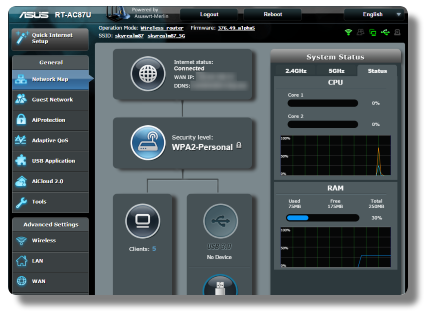
For a complete rundown, check their full list of added features. What matters most, however, is that you can leverage third-party scripts to significantly augment your router’s capabilities.
Once Merlin is installed and the basic configuration is set up (think Wi-Fi and general settings), the real fun begins. Let’s get those third-party tools up and running!
Quick Tip: You’ll need at least one USB drive connected to your router. I recommend using two; I’ve had great success with a couple of Corsair USB3 16GB sticks (around $5 each). One stick will host the scripts, and the other can be designated as a swap file for Skynet. Be sure to format one of them as ext4 for optimal performance.
Accessing Your Router via SSH
To kick things off, enable SSH on your router:
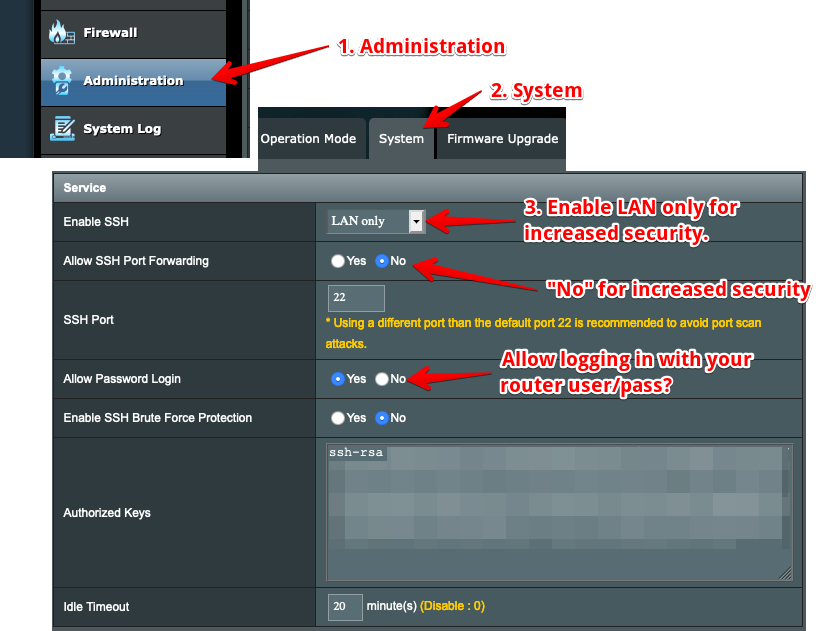
You can access your router via a terminal program using the command: ssh <router username>@192.168.50.1, where <router username> is the name you’ve chosen.
AMTM
Once you’ve SSH’d into your router, run the amtm script that comes with Merlin:
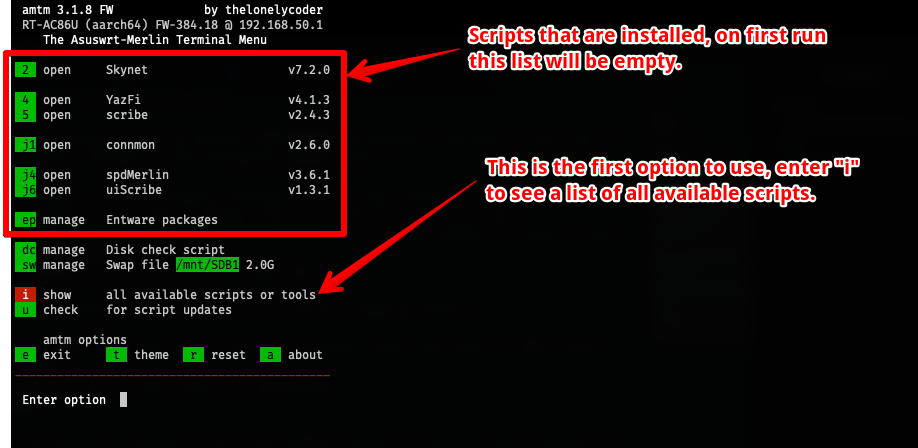
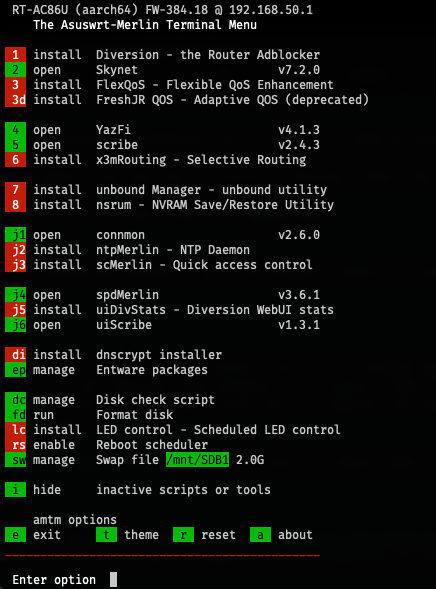
Type i and hit <enter> to see a list of available scripts:
Skynet
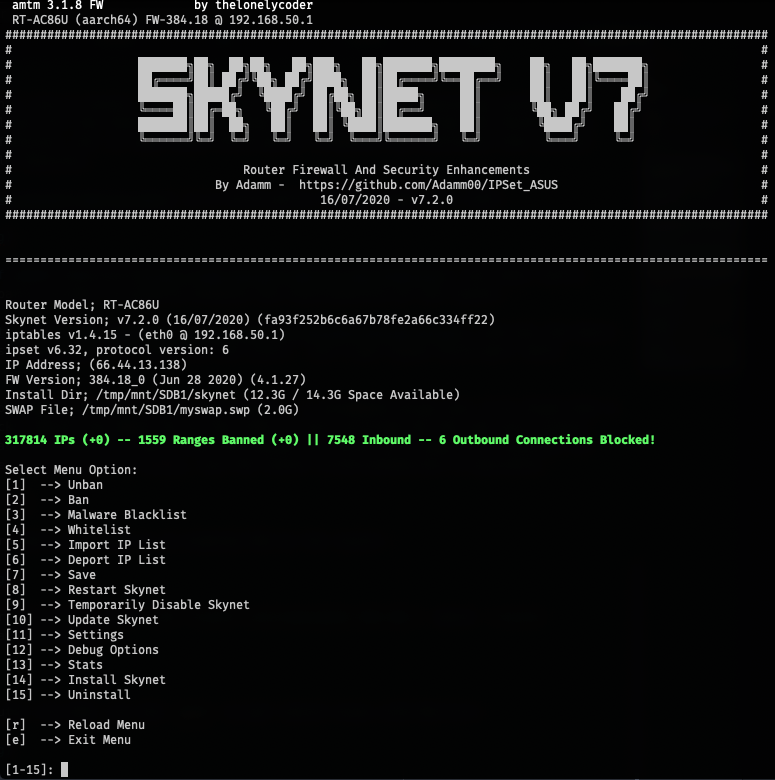
Skynet is an advanced firewall solution that offers threat detection, IP blacklists, and an intuitive interface to monitor your network’s security.
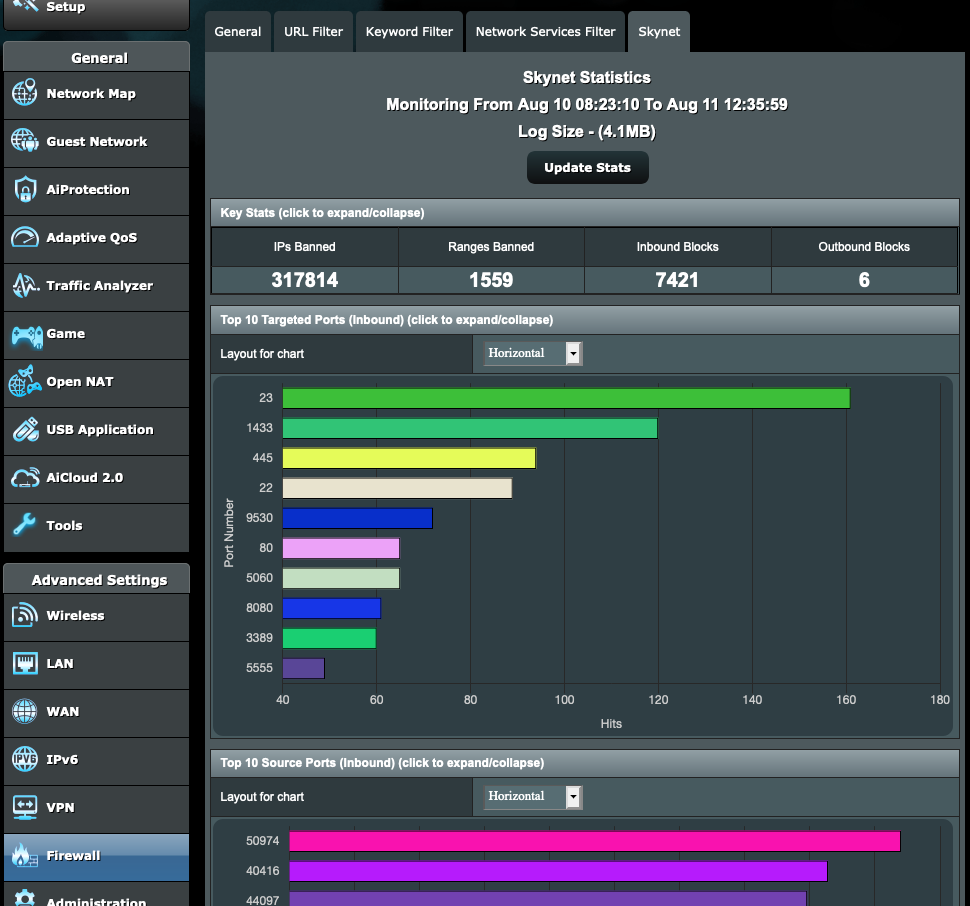
I’ve found it straightforward and user-friendly. The bundled script interface equips you with all the necessary tools to debug, whitelist, or blacklist as needed.
YazFi
If you utilize your own ad-blocking DNS, like Pi-hole, you might encounter issues with the guest network. YazFi resolves this by allowing you to specify a custom (public) DNS for the guest network, alongside offering various access control options.
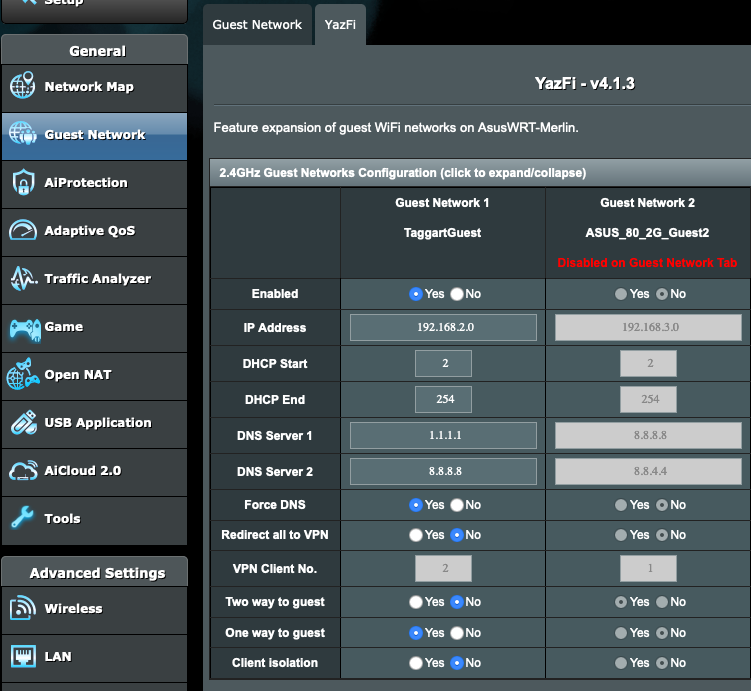
The “Two way to guest,” “One way to guest,” and “Client isolation” settings provide fine-grained control over client access, enhancing your network’s versatility.
SpeedTest and Uptime Monitoring
These tools work in tandem to illuminate the value you’re receiving from your ISP. The SpeedTest utility reveals your real-world connection speed:
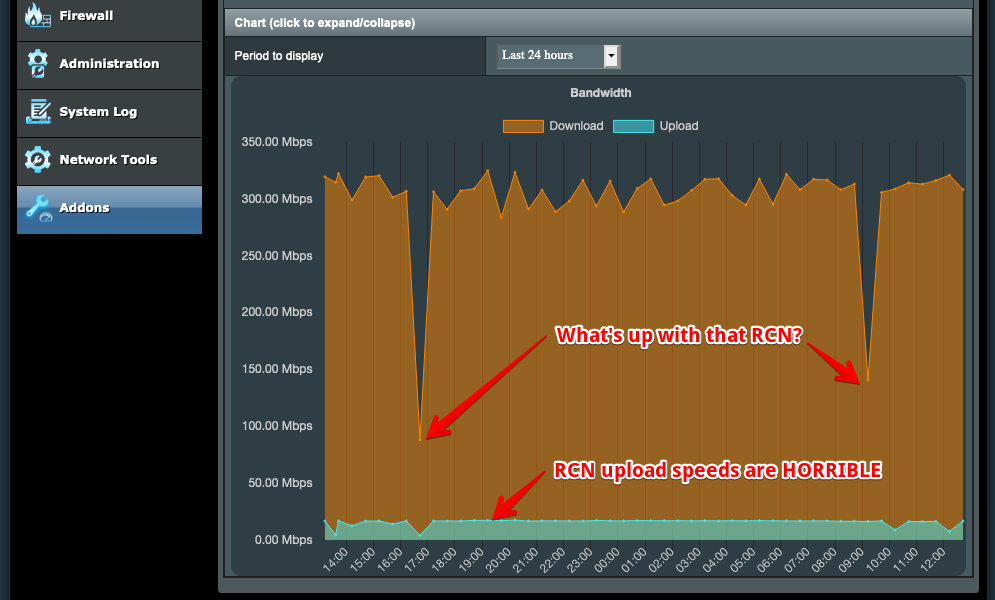
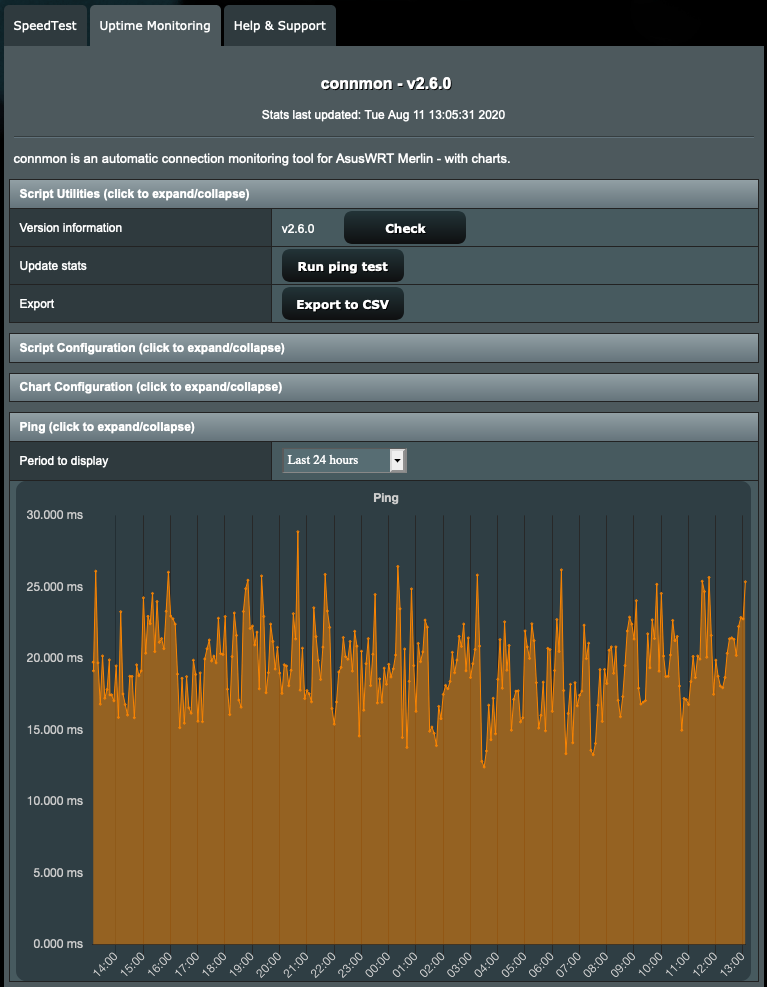
Meanwhile, Uptime Monitoring provides clear graphs of latency, giving you insights into your network’s performance:
Asus Merlin exemplifies the power of community-driven development and open-source collaboration. By embracing these tools, you not only enhance your home networking experience but also engage in a shared journey of exploration and improvement. Let’s embrace the possibilities together.