Have you ever looked at your Mac’s menu bar and felt like you were gazing into a chaotic toy box? Icons spilling over like a giggling toddler with a glass of milk — it’s a sight that can test even the most patient among us. While macOS offers a beautifully designed interface, it sometimes overlooks the importance of usability and aesthetics in the menu bar. Enter Dozer, a game-changing tool that elegantly addresses this challenge.

Dozer is a breath of fresh air in a sea of complex utilities. It’s designed with simplicity in mind, focusing on one core function: managing your menu bar icons. This open-source gem is not only free but also regularly updated, making it a reliable choice for anyone looking to declutter their digital workspace.
One of the standout features of Dozer is its thoughtful settings. You won’t find a barrage of confusing options here — just straightforward controls that let you customize your menu bar the way you want.
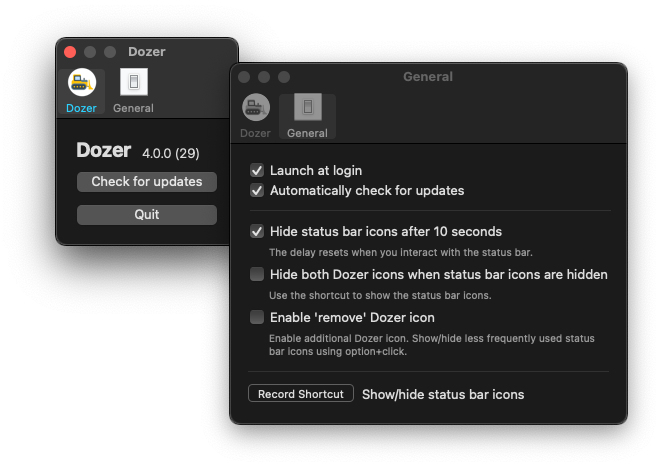
To get started, visit Dozer’s GitHub page or install it via Homebrew with the following command:
brew install --cask dozer
In a world where digital tools can often feel overwhelming, Dozer reminds us that sometimes, less truly is more. Let’s embrace this simplicity and take control of our menu bar — because who doesn’t want a cleaner, more efficient workspace?